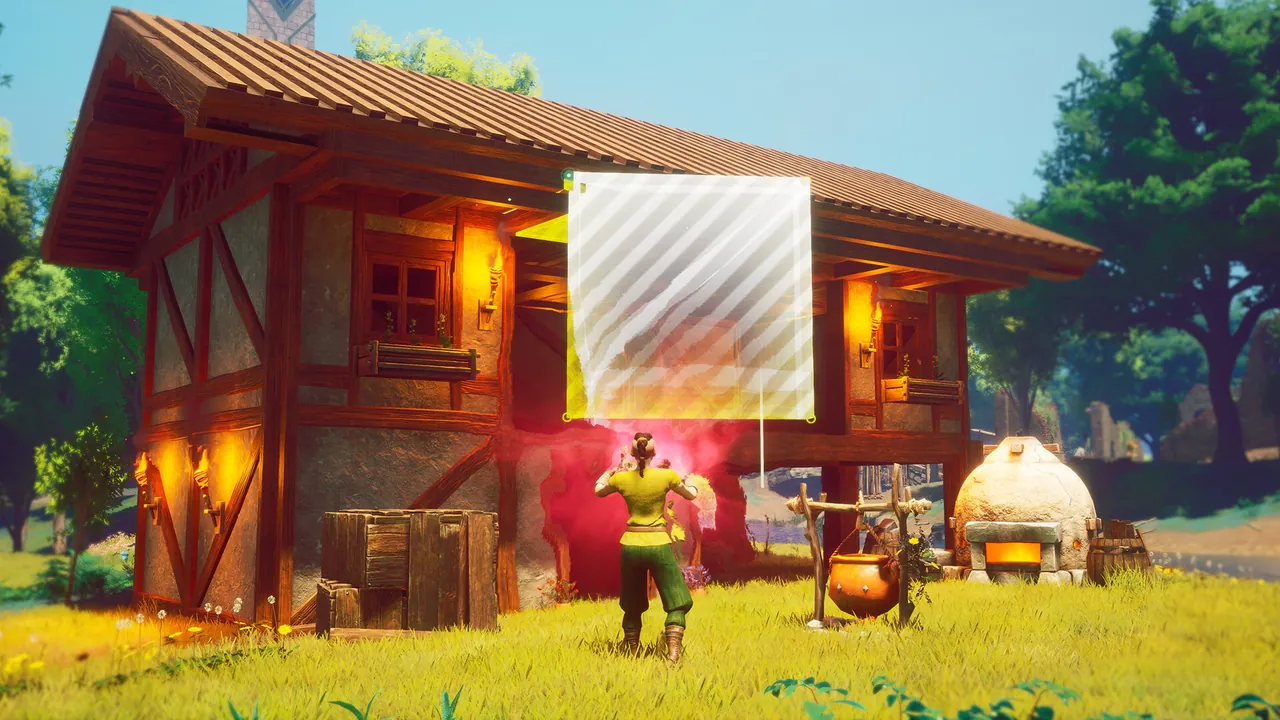
Unlock and open build mode
The tutorial unlocks build mode when Doric teaches you to make a Crafting Table. Jagex also says collecting your first resource can unlock it. On keyboard, press B to open the build menu. At the beginning, you have the basic Tier 1 building pieces. Hovering over a piece shows its material requirements and a preview.
Build a Crafting Table before spending time on a large house. It supports the Stone Club step and gives you a practical station from which to expand. A small working shelter is a better first goal than a decorative build that exhausts your early logs and stone.
Read the placement preview
Green means the selected piece can be placed. Red means placement is blocked, for example by a collision, insufficient materials or lack of structural support. Many pieces snap to nearby pieces. If snapping is not what you want, Jagex lists Y for Free Placing mode on keyboard.
As a build grows, use beams and pillars to support it. Pieces closer to the ground are more stable. If a wall or roof refuses to place, check the support below it before gathering more resources.
Plan and repair without rebuilding blindly
In the build interface, F selects Ghost Mode. It lets you place blueprints without paying their materials immediately, so you can plan a layout and fill it in later. T selects Repair Mode, which can repair damaged pieces, finish incomplete structures and remove pieces while reclaiming materials. These keys describe the official keyboard controls as documented; check the on-screen prompts when using a controller.
Once the crafting area works, add shelter and stations as you need them. The beginner route shows what to do before your first longer expedition.